



Stellic Degree Progress and Planning
A page within Records & Registration
Stellic is Here for Fall 2026
A new way to view and plan degree progress!
Navigate your academic journey with ease
About Stellic
Stellic is the ultimate academic planning tool, designed to keep students on track and in control of their path to graduation.
Here's information on how Stellic works
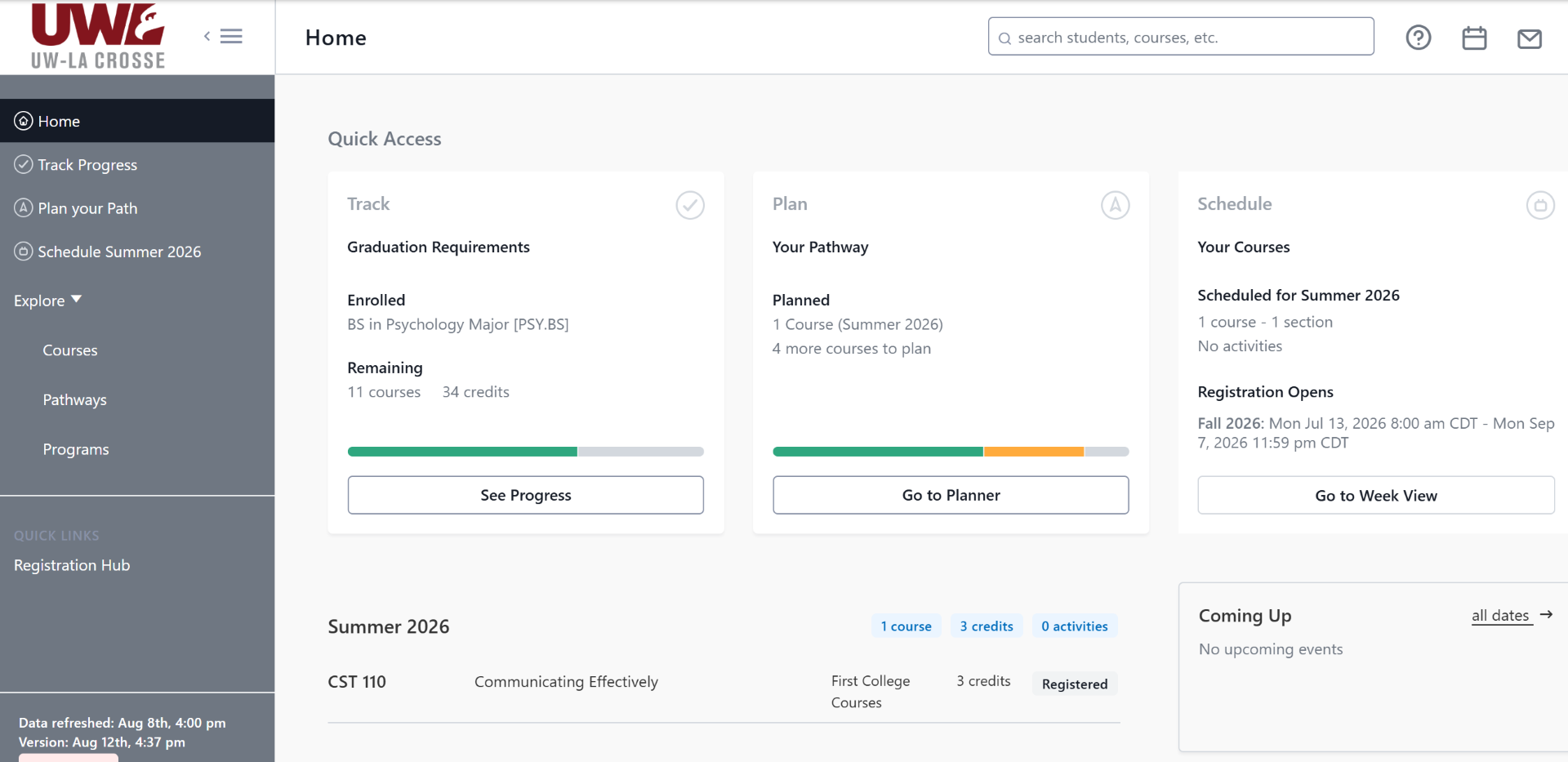
Home Dashboard
Get a quick snapshot of a student's program, schedule, and progress.
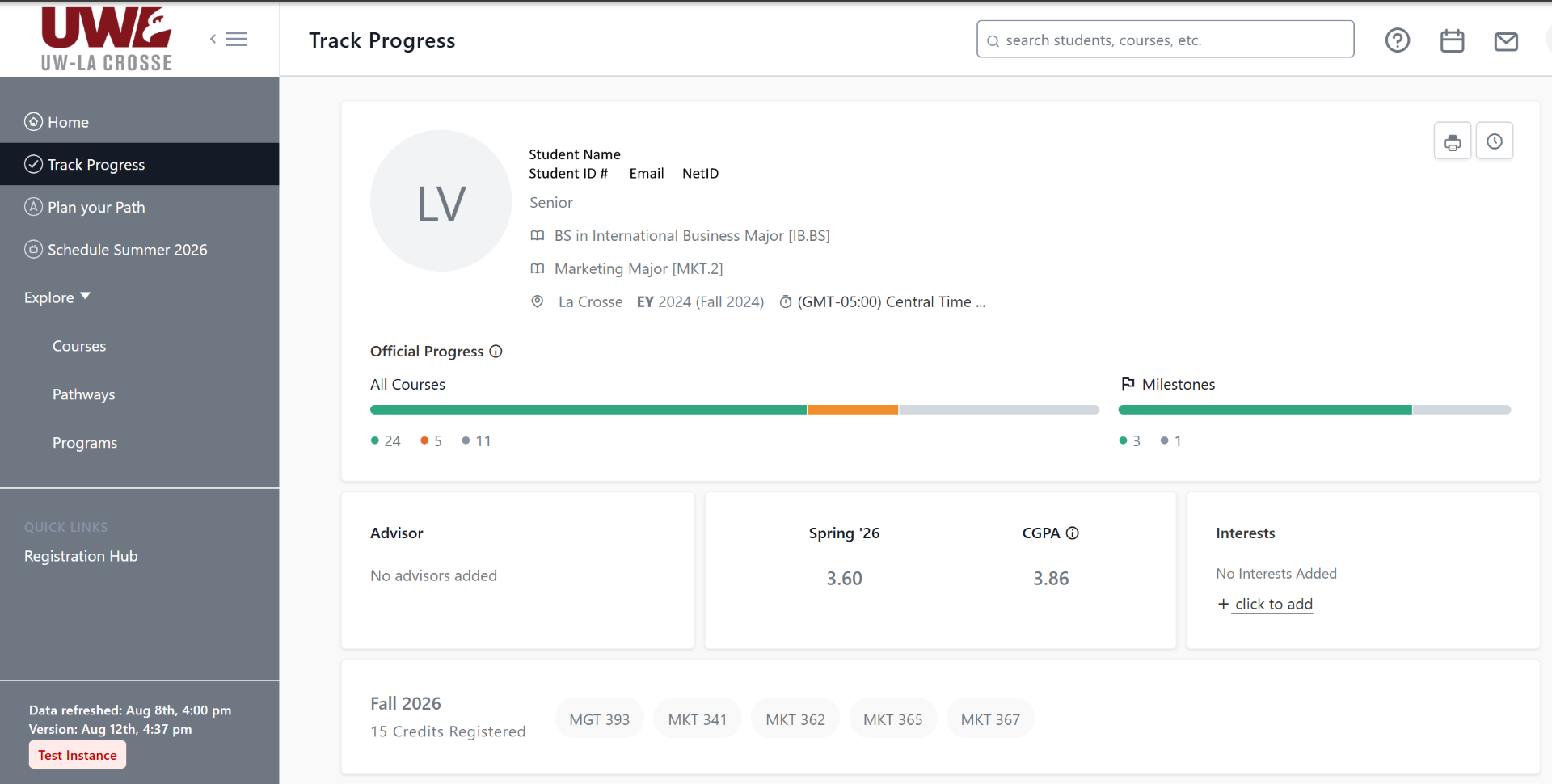
Track Progress
View GPA, past coursework, current classes, and detailed audits to stay informed about current academic journey.
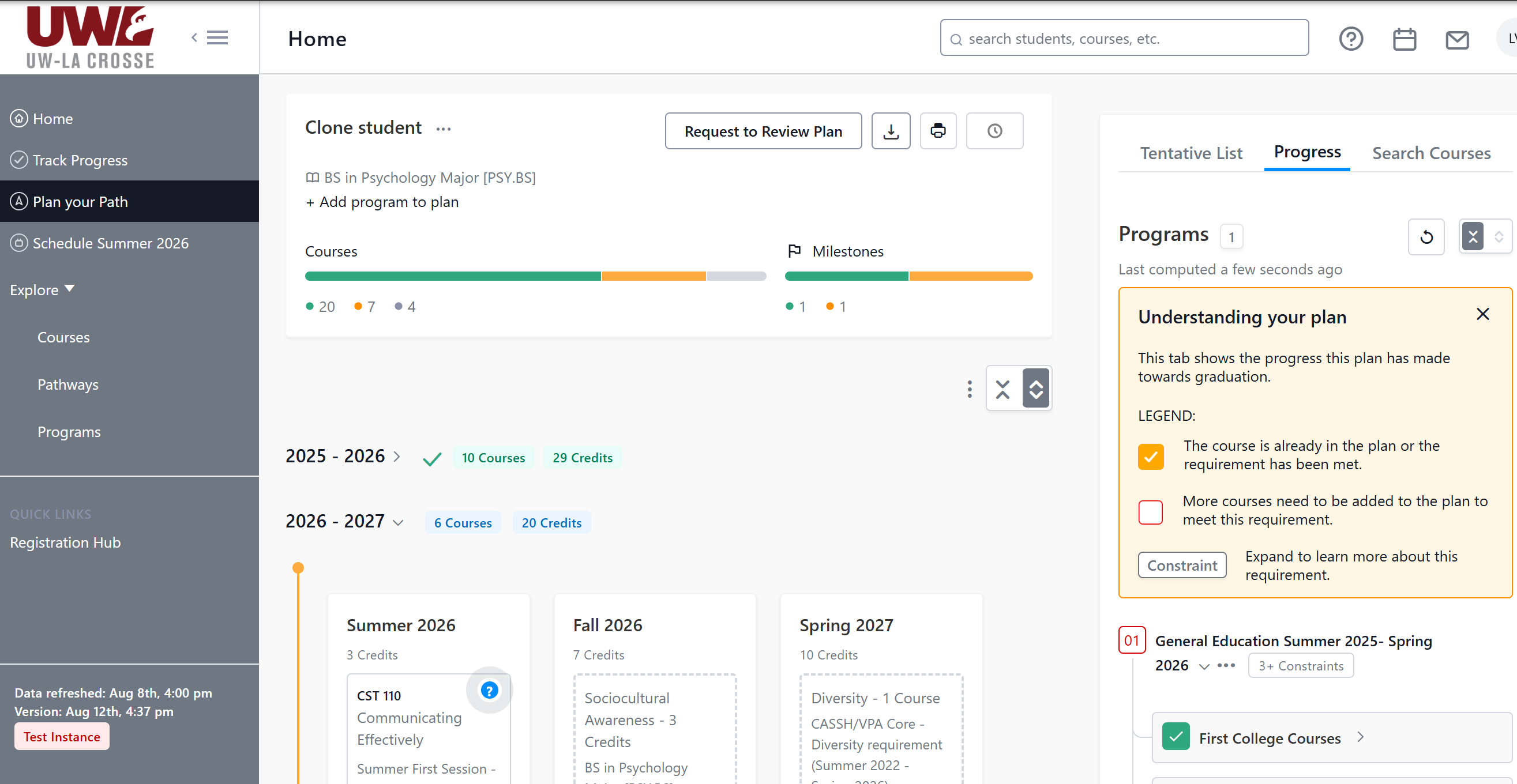
Plan Your Path
Easily map out future courses with drag-and-drop functionality to design a customized academic timeline.

Explore Your “What Ifs”
Add programs to a student's profile to see updated requirements and timelines and explore options.

Coming Spring 2027 - Scheduling and Registration
Seamlessly select course sections and times that fit the student's individual plan and schedule.
Visit these KnowledgeBase articles for more information on the following topics.
- UWL Stellic Student Guide to the Student Home Screen
- UWL Stellic Student Guide to the Student Profile
- UWL Stellic Student Guide to Tracking Your Degree Progress
- UWL Stellic Student Guide to Planning Your Academic Path
- UWL Stellic Student Guide to Explore and Add Programs
Visit Stellic's Guides for more detailed information on the following topics.
Frequently Asked Questions
Will this replace the current Advisement Report (AR) in WINGS? updated
Yes, the Stellic degree audit replaces the AR for students who started at UWL in summer 2022 and later, and serves as the student’s official source of information for each individual student’s requirements to graduate. Students who started prior to 2022 need to continue to use the AR for their degree requirements until they graduate, unless they have moved to a more recent catalog of degree requirements.
Last modified: 10/02/2026
Will students use Stellic to register for classes?
Yes, Stellic will replace Schedule Planner eventually. However, this part of the implementation will occur later than the degree audit and planning platform. We hope to go live with the registration tool by March 2027 for summer and fall 2027 registration.
Last modified: 08/27/2026
When will Stellic be available for students, faculty, and staff to log in? updated
As of Sept 1st, 2026 undergraduate students, faculty, and staff are able to use Stellic for degree progress and planning. Stellic will be available for graduate students to track their degree progress later in the fall 2026 term (the exact date is to be determined). The registration tool will be available in the spring 2027 term.
Last modified: 10/02/2026
Is trying on a program in Stellic the same as declaring a program?
No. If you want to officially declare a program, you must complete the Change of Major/Minor form
Last modified: 08/05/2026
How do I create a 'What If' report? updated
Students and advisors can explore programs in multiple ways in Stellic. We recommend creating a new plan to explore and SAVE what we previously called a "What If" report in the AR. Advisors can use this guide to create a new plan with different majors, minors, etc. for students to view how their completed coursework will apply to the new programs. Students can follow similar steps to create a secondary plan in their Stellic planner tool. Please note that this plan is unofficial, and students must officially declare a new program using the Change of Major/Minor form.
Last modified: 10/06/2026
What accessibility features are available in Stellic?
Stellic's commitment to accessibility is reflected in the thoughtful design and implementation of features that cater to users with diverse needs. Stellic strives to ensure a seamless and inclusive experience for all users. Visit Stellic's Guide for a list of their key accessibility features, including "Better Interaction Mode" in their icons.
Last modified: 09/21/2026
What resources are available for advisors, faculty, and staff?
Advisors should visit our Stellic for Advisors website or go to the WINGS for Advisors and Instructors Teams site for videos and How-To tutorials on using Stellic with students. We are also hosting Learn How to Use Stellic, Drop-In Office Hours in AACCS in late September and early October. Please see the full schedule for more information.
Last modified: 09/21/2026
Who can I contact if I have questions?
Records & Registration, records@uwlax.edu or 608-785-8951.
Last modified: 08/05/2026